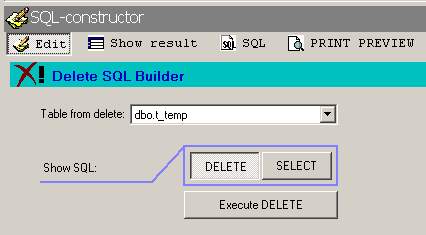
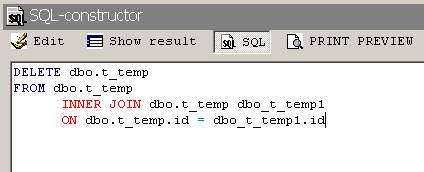
You have a possibility to create in the program the SQL-query for deleting of the data. For this purpose it is necessary for you to open the new project and to select type of the project - Delete query. After that select the data source. Add tables which should participate in query. In an edit window (fig. 1) specify the table from which you want to delete the data. With buttons DELETE And SHOW you can provide review of a code of query (fig. 2) on deleting or selecting of the data in SQL tab. If it is necessary you can add the filter in query. For execution of the maked query it is necessary for you to press in an edit window button EXECUTE DELETE(fig. 1).
Technical support:
E-Mail: support@visualsoftru.com
WWW: Web support